
Screenshots
App details
- Version
- 11.00.0019
- Size
- 20.85 MB
- Updated
- January 21, 2010
- Requires
- Windows 98 SE
- Language
- English
- License
- Free
- Developer
- Bharti Airtel Ltd
- Category
- Windows OS
SoftPas in:
This product is also available in the following languages:
About SecureZIP Express
Download SecureZIP Express – Free, Secure File Compression & Encryption Tool for Windows, Mac, Android, iOS
SecureZIP Express is a powerful, free file compression and encryption software that offers a seamless alternative to popular tools like Winzip. With a clean, intuitive interface and robust security features, it’s ideal for both beginners and advanced users. Whether you're zipping sensitive documents, sharing files via email, or protecting data with password encryption and digital certificates, SecureZIP Express delivers reliable performance across Windows, Mac, Android, and iOS platforms. Its ability to compress, decompress, test file integrity, and securely share files makes it a must-have tool for personal and professional use.
Key Features of SecureZIP Express
SecureZIP Express stands out in the crowded field of file compression tools thanks to its comprehensive feature set. At its core, the software allows users to compress and decompress files in various formats, including ZIP, RAR, 7Z, and more, ensuring compatibility with most standard archives. But what truly sets it apart is its advanced security suite. Unlike many free compression tools, SecureZIP Express supports password protection with AES-256 encryption, one of the strongest available today. This ensures that only authorized users can access your sensitive files.
Beyond basic encryption, SecureZIP Express offers a digital certificate system that enables users to sign and verify files digitally. This is especially useful for businesses and professionals who need to authenticate documents. The certificate is available for free and valid for one year, with an accompanying online tutorial to guide users through setup and usage. The software also includes a built-in email integration feature, allowing you to send compressed and encrypted files directly from the app—perfect for secure file sharing without relying on third-party services.
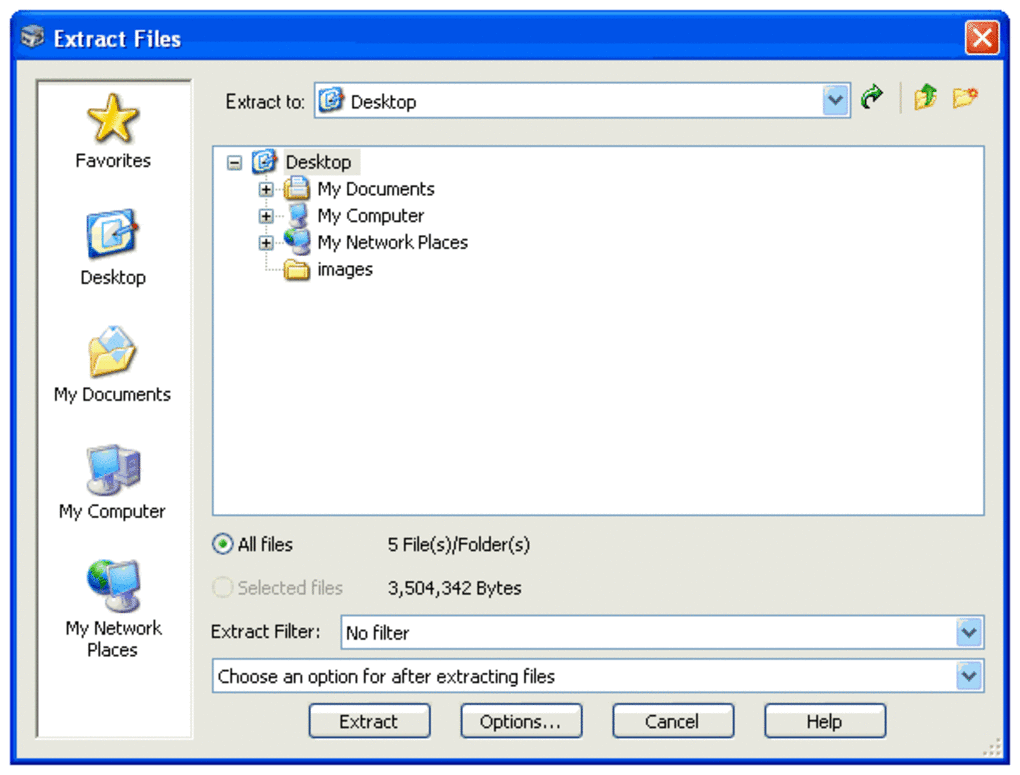
Another standout feature is the file integrity checker, which validates archives before and after modifications. This helps prevent data corruption and ensures your files remain intact during compression or extraction. Additionally, users can update files from saved versions, manage favorites, and use a guided wizard for common tasks like creating archives, extracting files, and applying security settings. These tools streamline workflows and reduce the learning curve, even for those new to file compression.
Easy Installation & Simple Usage Across Devices
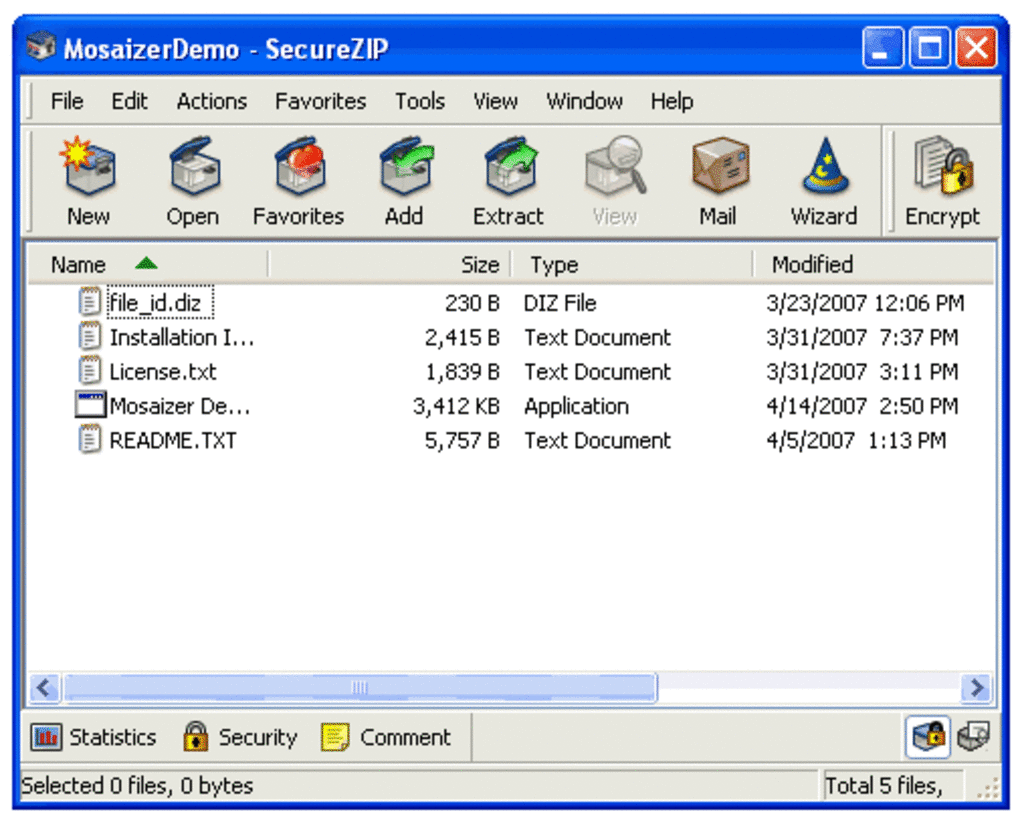
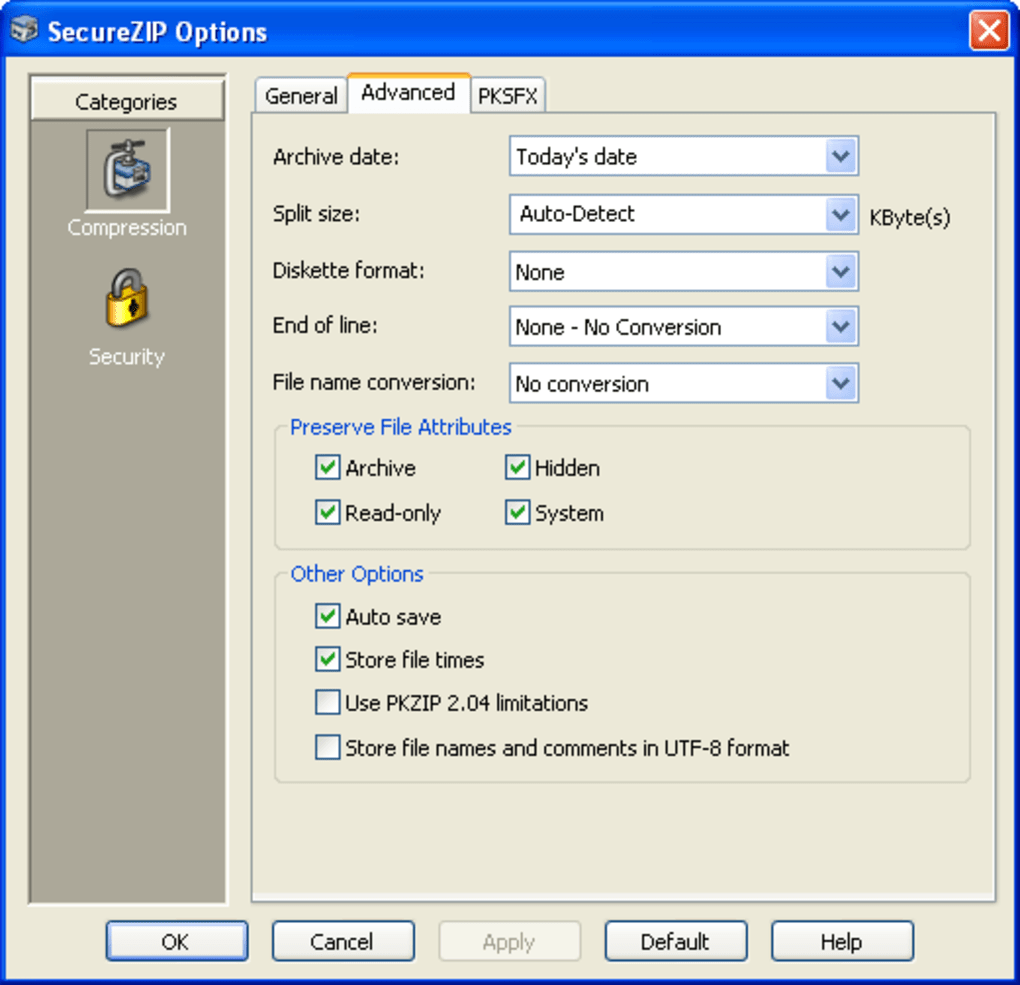
Downloading and installing SecureZIP Express is a straightforward process. The software is available for free on Windows, Mac, Android, and iOS, making it accessible across all major platforms. To get started, visit the official website and select your operating system. The installer is lightweight, typically under 50MB, and completes setup in under a minute. Once installed, the clean interface greets you with clearly labeled buttons for compressing, extracting, and securing files.
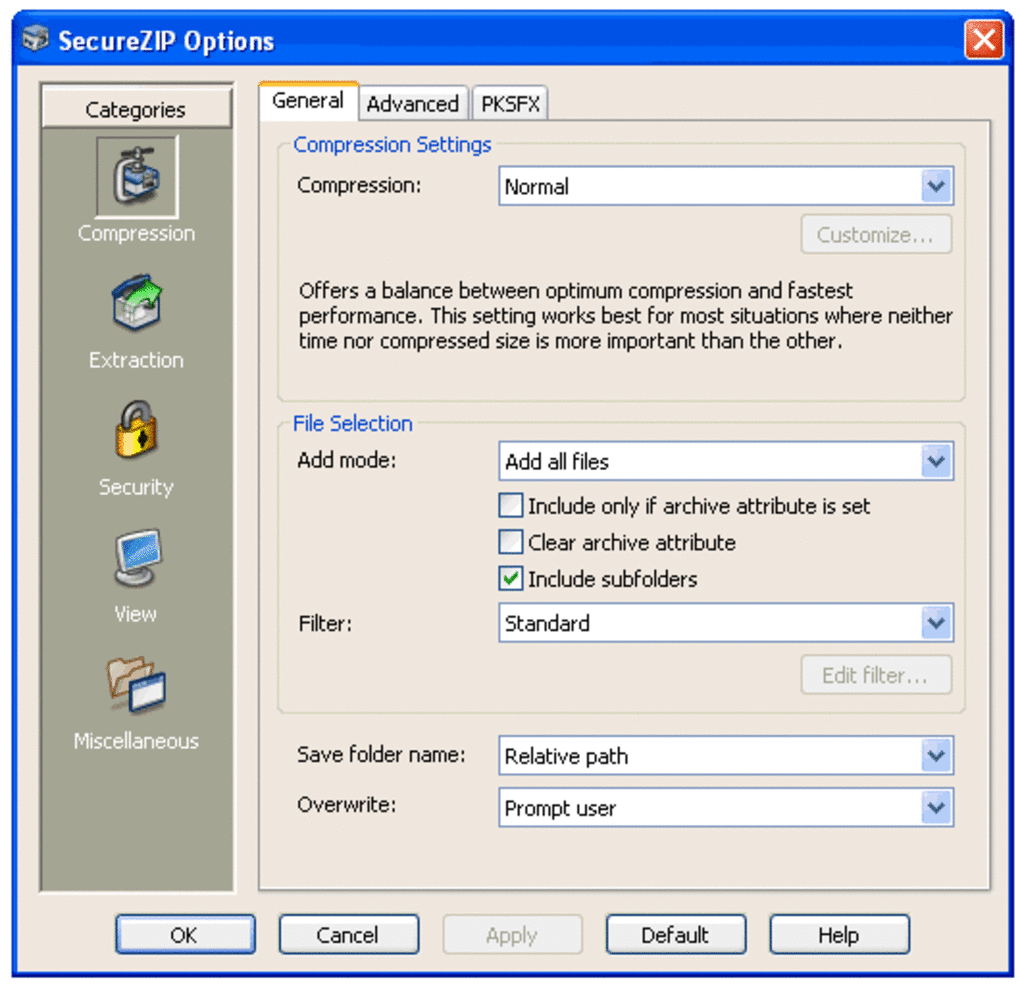
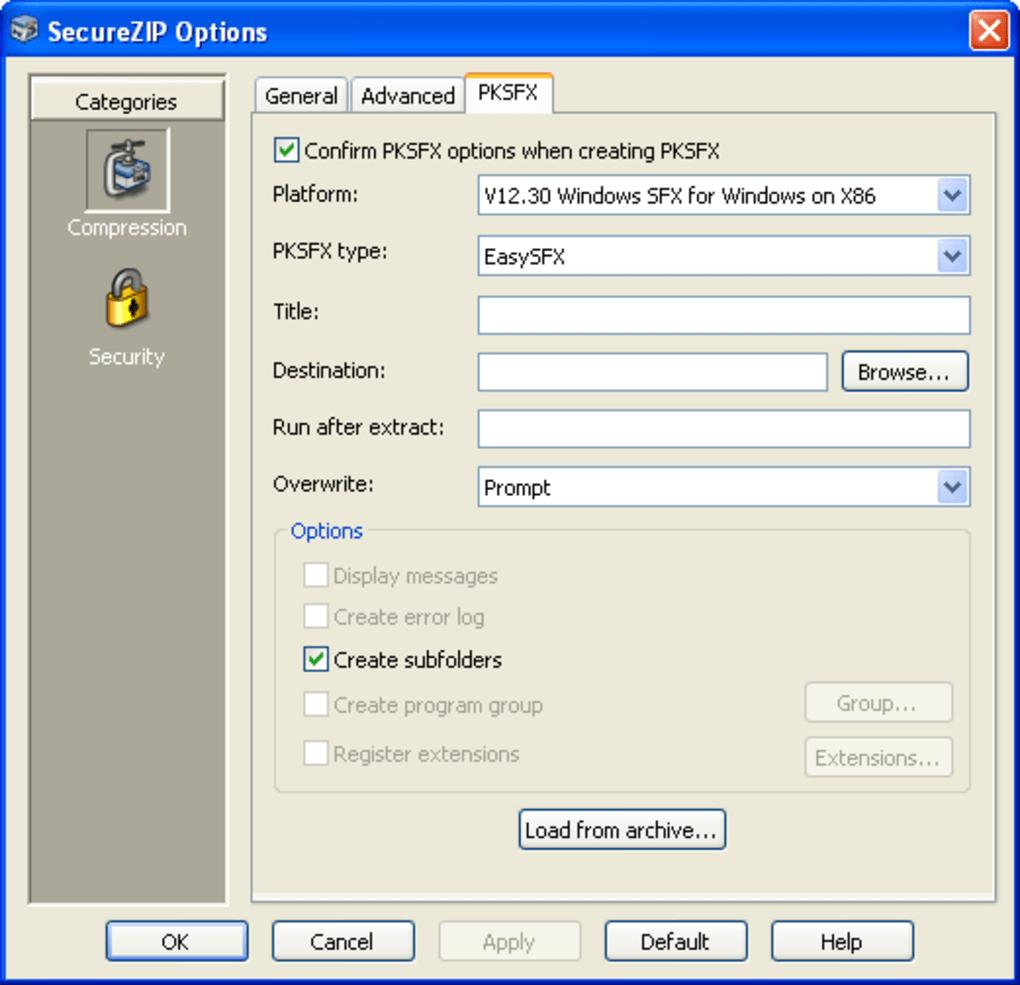
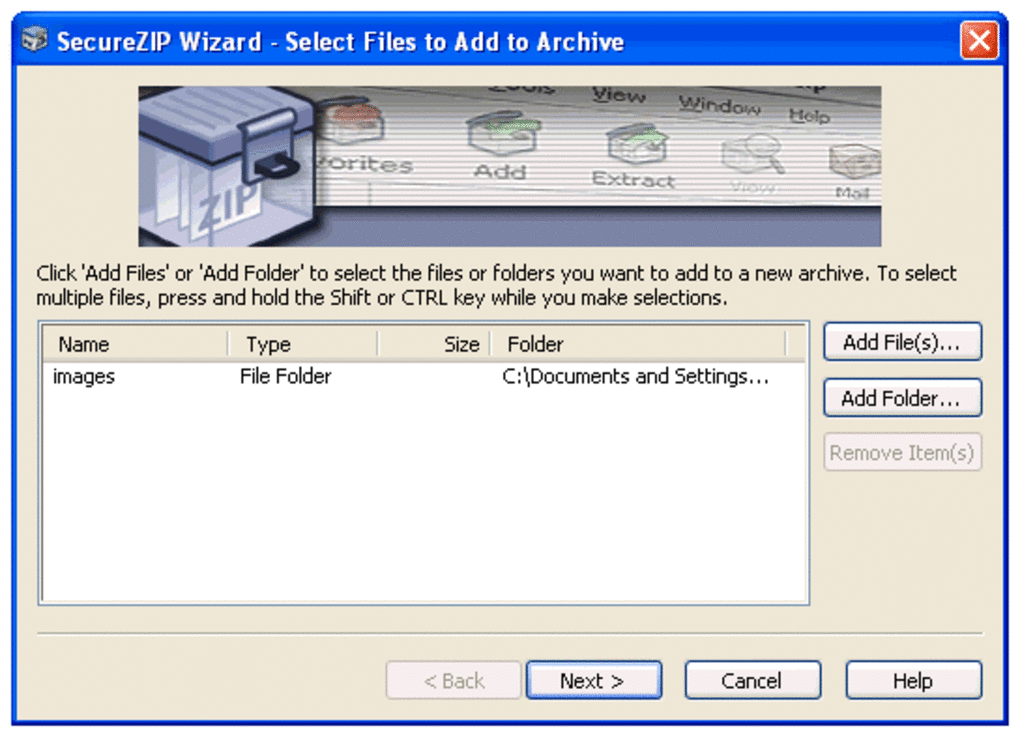
For new users, the included task wizard simplifies common operations. Whether you're creating a password-protected ZIP file or sending a secure archive via email, the wizard walks you through each step with clear prompts. Advanced users can dive into the settings to customize compression levels, choose encryption algorithms, or configure automatic backups. The app also supports drag-and-drop functionality, so you can simply drag files into the window to compress them instantly.
On mobile devices, the SecureZIP Express app offers a responsive interface optimized for touchscreens. You can browse your files, apply encryption, and share archives directly through messaging or email apps. The mobile version syncs seamlessly with your desktop files when using cloud storage, making it ideal for on-the-go professionals. Regular updates ensure that the software stays secure and compatible with the latest file formats and OS versions.
Compatibility & System Requirements
SecureZIP Express is designed for broad compatibility, supporting all major operating systems. On desktop, it runs smoothly on Windows 7 and later, including Windows 10 and 11. For Mac users, it’s compatible with macOS Mojave (10.14) and newer, ensuring stability on both Intel and Apple Silicon Macs. The mobile versions are available on Android 8.0 and above, as well as iOS 12 and later, making it accessible to a wide range of users.
System requirements are modest, requiring only 512MB of RAM and 100MB of free disk space. This low footprint means the software runs efficiently even on older or budget devices. It doesn’t consume excessive CPU or memory during compression tasks, so you can continue working while files are being processed. The app also integrates well with cloud storage services like Google Drive, Dropbox, and OneDrive, allowing for seamless file management across platforms.
One of the biggest advantages of SecureZIP Express is its cross-platform consistency. Whether you’re working on a Windows laptop, a Mac desktop, or a smartphone, the core functionality remains the same. This uniformity ensures a consistent user experience, reducing the learning curve when switching between devices. Additionally, the software supports a wide range of file types, including PDFs, DOCX, XLSX, images, videos, and more, making it suitable for both personal and enterprise use.
Pros & Cons of SecureZIP Express
- Pros:
- Free to download and use with no hidden costs
- Strong AES-256 encryption for top-tier security
- Supports digital certificates for file authentication
- Integrated email sharing for secure file transfer
- File integrity testing to prevent corruption
- Available on Windows, Mac, Android, and iOS
- Intuitive wizard for beginners
- Regular free updates for improved performance and security
- Cons:
- Overwhelming number of configuration options for casual users
- Advanced features require some learning curve
- Digital certificate must be downloaded separately (though free)
- Interface may feel cluttered on smaller screens
- Limited third-party plugin support compared to competitors
Frequently Asked Questions (FAQ)
-
Is SecureZIP Express really free to use?
Yes, SecureZIP Express is completely free to download and use. There are no trial periods or subscription fees. The core features—including compression, encryption, and file sharing—are available at no cost. Premium add-ons like extended digital certificate support are also offered free of charge.
-
Can I use SecureZIP Express on my Android or iOS device?
Absolutely. SecureZIP Express offers native apps for both Android and iOS. You can download it from the Google Play Store and Apple App Store. The mobile versions support all major compression formats and include secure encryption, file sharing, and cloud integration.
-
How secure is the encryption in SecureZIP Express?
SecureZIP Express uses AES-256 encryption, the same standard used by governments and financial institutions. This ensures that your files are protected from unauthorized access. Password-protected archives and digital certificates provide multiple layers of security for sensitive data.
-
Does SecureZIP Express support RAR and 7Z files?
Yes, SecureZIP Express supports a wide range of archive formats, including ZIP, RAR, 7Z, TAR, GZ, and more. You can both create and extract files in these formats, making it a versatile tool for any file compression need.
-
Can I update files within an existing archive?
Yes, SecureZIP Express allows you to update files from saved versions directly within the archive. This feature is useful for maintaining version control and avoiding the need to recreate entire archives.
Final Verdict: Why You Should Download SecureZIP Express Today
SecureZIP Express delivers a powerful combination of ease of use, advanced security, and cross-platform compatibility. Whether you're a student, freelancer, or business professional, this free software provides the tools you need to compress, protect, and share files securely. Its intuitive interface, built-in email integration, and robust encryption make it a standout choice among free compression tools.
While the sheer number of settings may initially seem overwhelming, the guided wizard and detailed help resources ensure that even beginners can get up and running quickly. With regular updates and strong community support, SecureZIP Express continues to evolve and improve. If you're looking for a reliable, secure, and free alternative to Winzip or other commercial software, this is the tool you’ve been searching for.
Download SecureZIP Express now and take control of your file security with confidence.
Guides & Tutorials
How to install SecureZIP Express
- Click the Download button above.
- Once redirected, accept the terms and click Install.
- Wait for the SecureZIP Express download to finish on your device.
How to use SecureZIP Express
This software is primarily used for its core features described above. Open the app after installation to explore its capabilities.
User Reviews
No reviews yet. Be the first to share your experience.
You may also like
more
Llama 2
Free-to-use large language model As the new addition to Meta’s arsenal of langua...

NotebookLM
Revolutionizing the note-taking and idea-generation process NotebookLM is an exp...

Github co pilot
AI-inspired software development and coding platform GitHub Copilot is a browser...

Google Gemma
Google’s lightweight AI models Introducing Google Gemma , a family of cutting-ed...

AI Image Enlarger
A free app for Windows, by ai-image-larger. AI Image Enlarger is a free software...

DALL E
AI-driven text-to-image transformation engine DALL·E is a free graphic and desig...